Payment for asking a Tax Question

Written by Nicci
Updated 6 July 2023
Why am I receiving a request for payment for asking a tax question?
During the process of assisting taxpayers with the completion and submission of their tax return, we sometimes receive tax related questions to our Helpdesk which fall beyond the scope of the tax return and therefore requires some more of our time. This is because documents may need to be reviewed or calculations to be performed or even in some cases, external experts to be consulted.
For this reason, you may receive a request for a payment in response to your tax question...
Read more →
A beginner's guide to investing in South Africa

Written by Evan
Posted 5 July 2023
You are doing well. You are earning enough money to cover your monthly expenses, and have some extra cash remaining at the end of each month. You could keep that money in the bank for a rainy day, or you could invest it, with the hopes of growing your savings significantly. This guide aims to help you understand why investing is important, how investments differ and what options are available to you in South Africa.
Why investing is important
Your money does not keep it's va...
Read more →
After all my documents submissions to SARS, they disallowed my expenses, why?
Written by Nicci
Updated 4 July 2023
We are starting to see some common trends whereby taxpayers’ expenses are disallowed because the documents submitted are falling short of SARS’s requirements. To avoid unnecessary frustration and time wasted in raising disputes, read on to see if any of these areas apply to you.
Travel deduction
In prior years, the submission of a logbook detailing your business mileage used to be sufficient to justify your travel claim. In recent years howev...
Read more →
Tax-Efficient Wealth Protection: Understanding Life Insurance
Written by Evan
Posted 3 July 2023
Life insurance: it sounds about as exciting as watching paint dry, right? However, just like that fresh coat of paint protects your walls from wear and tear, life insurance is all about protecting your loved ones from the financial burdens that could pop up in your absence.
If you've ever been out to dinner with friends and spent more time figuring out how to split the bill than actually enjoying your meal, then you'll understand why some people might find life insurance a tad...compl...
Read more →
How to buy your first property
Written by Nicci
Updated 3 July 2023
The thought of buying a house can be daunting. It might seem almost impossible when you are just getting started. But like any financial goal, you can achieve it if you understand what's involved, and break the process up into small, bite-size steps.
Buying your first home is also exciting! Choosing where you will live, how many rooms you need, what colour to paint the walls, and what furniture to fill it with are part of the fun. Use that excitement to get you through the admin involved....
Read more →
Tax Season 2023
Written by Nicci
Posted 14 June 2023
The 2023 filing season opens this year at 8pm on Friday, 7 July. The countdown's on, it's almost here!
It is important to be aware that the season is shorter than prior years. This means that SARS are giving you less time to file your return.
Important Filing Deadlines
23 October 2023: non-provisional taxpayer (i.e. salaried employees)
24 January 2024: provisional taxpayer (i.e self-employed, rental earners, freelancers, ...
Read more →
Don't file on SARS eFiling before 7 July

Written by Alicia
Updated 14 June 2023
Last year, we noticed that many taxpayers filed their tax returns before the tax season officially began (i.e July). However, doing so caused delays and problems with their tax refunds.
There are only three specific instances where you can file your tax return (ITR12) directly on eFiling before tax season starts:
- If you have been declared insolvent / sequestrated or,
- If you need to file a tax return for a deceased estate or,
- If you are em...
Read more →
Why refund/tax liability estimations may differ from the SARS calculator and final SARS ITA34 assessment
Written by Evan
Updated 8 June 2023
TaxTim and SARS use all the financial information you provide to work out the most accurate estimate of your potential refund (or tax liability) for the current tax season. However, there may be some information we don’t have access to that won’t be included in the estimate of your tax refund or tax liability.
Information from previous tax seasons
Just like the SARS eFiling tax calculator, TaxTim doesn’t take into account provisional tax ...
Read more →
How to refresh your import data on eFiling
Written by Alicia
Updated 30 May 2023
If your employer, medical aid, retirement annuity, or investment fund has informed you that the tax certificate they provided is outdated and that they have sent a new tax certificate to SARS, but your tax return is still displaying old data, what steps can you take to fix this issue?
We've had a couple of taxpayers over the years contact us with this problem, and fortunately there is actually quite a simple way to fix it.
Please follow these steps:
1. Log ...
Read more →
9 Steps to File an Objection to Your Tax Assessment

Written by Vee
Updated 30 May 2023
You’ve been diligent with your tax obligations, you’ve paid your PAYE (employees tax) each month without fail, you’ve kept all the supporting documents for your deduction claims and you’ve carefully filled out your tax return, making sure you’ve put all the right amounts in all the right places, against all the right codes. (Pssst, if you used TaxTim to help you complete your tax return, you wouldn’t have had to worry about all the right places and codes because that’s all automated for you)...
Read more →
Bad Debts
Written by Nicci
Posted 25 May 2023
Bad debts is a business expense. It occurs when customers don't pay their invoices and the business deems the debt to be uncollectible.
The business would record a bad debts expense in their income statement and reduce the accounts receivable (i.e debtors) balance by the same amount. If a bad debts expenses is recorded, it is important to ensure that the original debt is still included in income, so that the net effect of recording the bad debts expense is nil.
...
Read more →
How to change from an Organisation to an Individual profile on SARS eFiling
Written by Alicia
Updated 24 May 2023
Step 1
Login to your SARS efiling profile
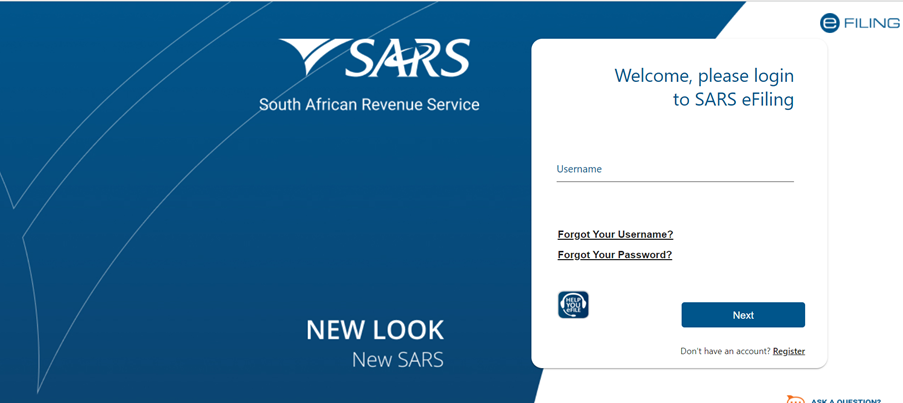
Step 2
At the top of the page, you will see that you have an Organisation Profile. Please select the 3 dots to the left of "Organisation" to select the "Portfolio Management" option on the dropdown.
Read more →
Auto-Assessed Taxpayers Alert
Written by Nicci
Updated 22 May 2023
SARS has given you just 40 working days to submit your tax return. If you received your auto-assessment at the beginning of July, your time to submit has already expired. Auto-assessments issued on 4 July 2022, expired on 30 August 2022. Count your work days carefully. SARS is applying this rule very strictly. If you do nothing, your auto-assessment will very soon become FINAL.
For more on auto-assessments and their deadlines, please read
Read more →
Small Business Corporation

Written by Elani
Posted 17 May 2023
A Small Business Corporation (SBC) is a private company that complies with various requirements per the Tax Act. If it meets the definition of a SBC, it can take advantage of progressive tax tables (as opposed to the fixed standard corporate tax rate) and also accelerated depreciation for certain assets. The latter means that less tax may be paid in the early years when the assets are purchased.
Please refer to our
Read more →
Provision for Doubtful Debts
Written by Elani
Posted 16 May 2023
Doubtful debts are accounts receivables (monies owed to the company) that will most likely not be repaid.
A Provision for Doubtful Debts is made for the portion of money due by your company's debtors that you expect won't be paid
Capital and Reserves
Written by Elani
Posted 16 May 2023
Capital and Reserves is a line item under the Equity section of the Balance Sheet.
Capital is the initial investment made by the shareholders of the company by means of cash, equipment or property.
Reserves, also known as accumulated profits or retained earnings, is the profit left over after all expenses and taxes have been paid and dividends have been distributed to the shareholders.
In summary, it is the accumulated profits that the company has 'saved' each year, wh...
Read more →
Why is my IRP5 not being imported from eFiling?
Written by Alicia
Updated 15 May 2023
The helpdesk has been inundated with questions asking why TaxTim is unable to import IRP5 details from eFiling and why taxpayers have to manually enter all the data that had usually been imported in previous tax years.
Here's a few reasons, why you may be experiencing this issue:
- The tax season usually opens 1 July each year - if you are trying to complete your tax return early (i.e from 1 March) your data will not be available on eFiling as all instit...
Read more →
Voluntary Disclosure Programme
Written by Elani
Posted 10 May 2023
The Voluntary Disclosure Programme (VDP) is a voluntary opportunity for individuals, companies and trusts who have previously defaulted on their tax affairs, to come forward and disclose their non-compliance to SARS in order to work with SARS to regularise their tax affairs.
There are specific requirements that must be fulfilled to qualify for this relief.
IT14SD
Written by Nicci
Updated 10 May 2023
An IT14SD is required for companies only. It is a schedule which reconciles the business's VAT, PAYE, Income Tax and Customs declarations from the ITR14 to the information submitted to SARS during the year. SARS may request the IT14SD after submission of the ITR14. If it is required, SARS will make it available to the taxpayer via a link in SARS eFiling.
This form was discontinued in September 2022 and is no longer a SARS requirement.
Dormant
Written by Elani
Posted 9 May 2023
A dormant company is a company that is registered with the CIPC (The Companies and Intellectual Property Commission) but is not actively trading.
Even if the company is not trading, tax returns must be submitted to SARS to avoid unnecessary penalties and interests.
Click here for more information.
Should I file a dormant return?
Written by Alicia
Posted 26 April 2023
Are you confused about whether your company should file a dormant return or a normal ITR14 for companies? It's understandable - dormancy can be a tricky concept to navigate. It's important to understand that the type of tax return you need to file depends on when your company became dormant. But don't worry, we're here to help you figure it out!
First things first, what is a dormant company?
A dormant company is a company which is registered with the ...
Read more →
Dormant Company Tax Returns

Written by Patrick
Posted 26 April 2023
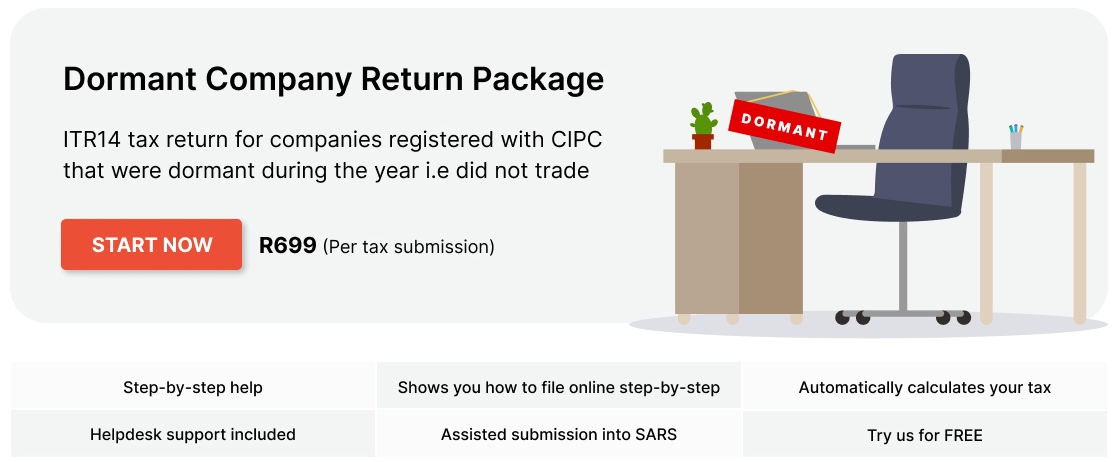
If you've registered a company with CIPC some time ago and forgot about it, that company could land you in hot water with SARS. Even if the company is not actively trading and has no assets or liabilities, you still have a duty to submit its tax returns to SARS. Failure to do so can result in administrative penalties that ...
Read more →
11 Types of Tax Directives
Written by Nicci
Updated 14 April 2023

Imagine you’re an estate agent or luxury car salesman. Chances are that you don’t earn much (if anything) as a basic salary and you rely on a few big deals and commission payments to keep you afloat during quieter months.
Read more →
Everything you need to know about tax-free savings
Written by Patrick
Posted 10 March 2023
The South African government introduced tax-free savings back in 2015 to encourage household savings. As the name suggests, all of the proceeds from tax-free savings accounts (TFSAs), including interest, capital gains and dividends are exempt from tax. This makes these types of investments extremely attractive for South African taxpayers.
How tax-free savings work
Tax-free savings are an investment vehicle created to help South Africans reduce their tax liab...
Read more →
Budget 2023: New Energy Tax Incentives
Written by Nicci
Posted 22 February 2023
Finance Minister, Enoch Godongwana, delivered his second budget speech to South Africans yesterday. The energy crisis played centre stage with the minister announcing that the government will take over a large part of Eskom's debt. He also outlined two major tax incentives to encourage individuals and businesses to invest in renewable energy and independent electricity generation. Much to everyone's relief, he went on further to announce that there would be no major tax proposals for the year...
Read more →
Older posts →← Newer posts
3 4 5 6 7 8 9 10 11 12 13 14 15 16 17 18 19 20 21 22 23


 Do Your Tax Return Easily