TaxTim Blog
How to request a provisional tax Statement of Account on eFiling
Provisional Tax Statement of Account
By Alicia Human · Updated · 1 minute read
If you're a provisional taxpayer, you can request a statement of your provisional account on eFiling. However, instead of finding it on your Income Tax workpage, you first need to go to the Provisional Tax workpage. This can be tricky if you don't use eFiling often, so we've listed the steps below to help you.
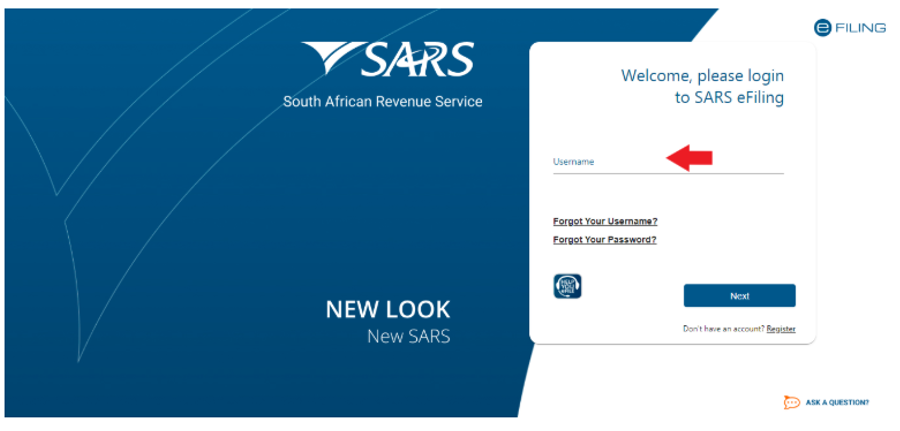
STEP 1: Log into SARS eFiling
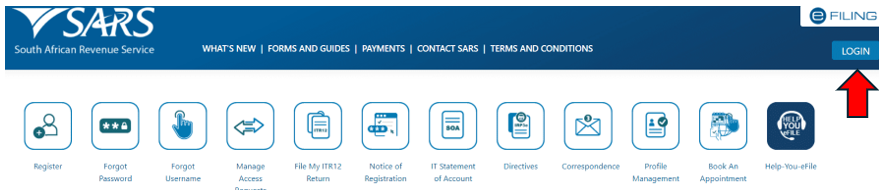
Enter your username and password. If you can't recall what it was, please click here: Forgot details
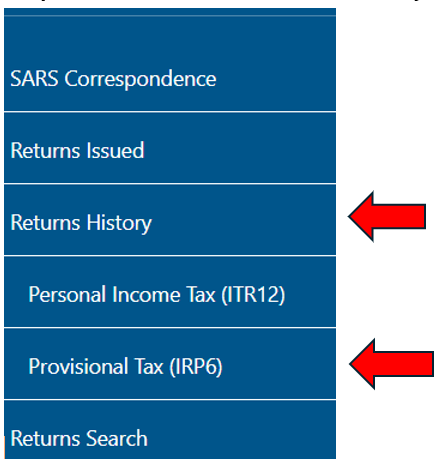
Step 2: Once you are logged in, check on your left and select "Returns History" and then select "Provisional Tax (IRP6)"
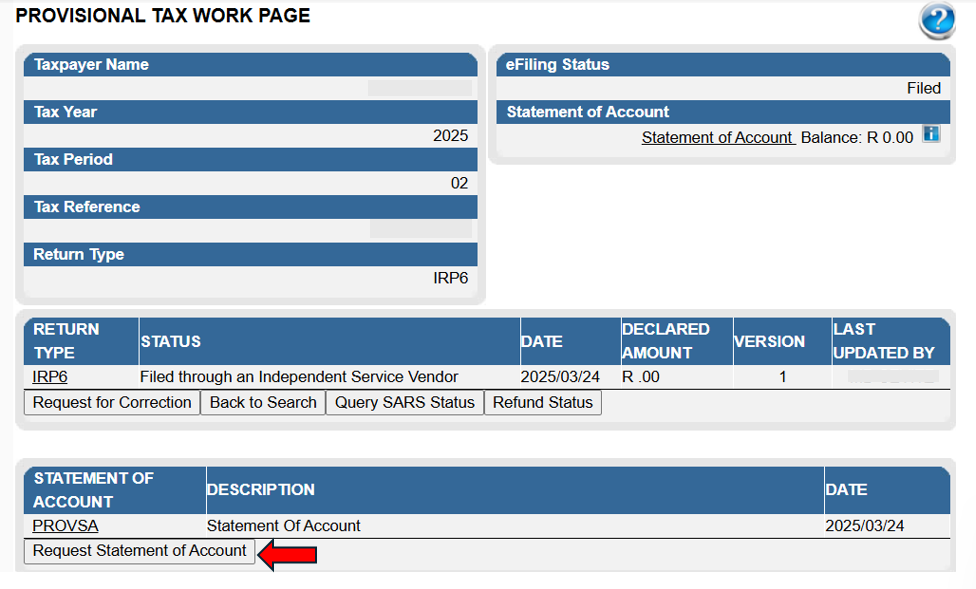
Step 3: Select the relevant period and Click on "Open"

Step 4: Click on "Request Statement of Account", you should see it close to the bottom of your page
Step 5: Select the "Tax Year" and click on "Continue"
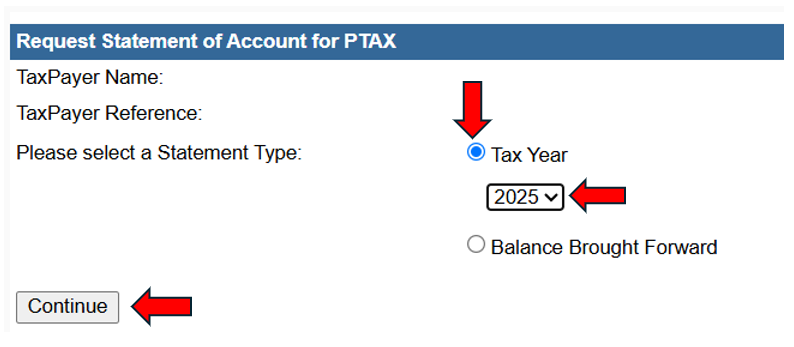
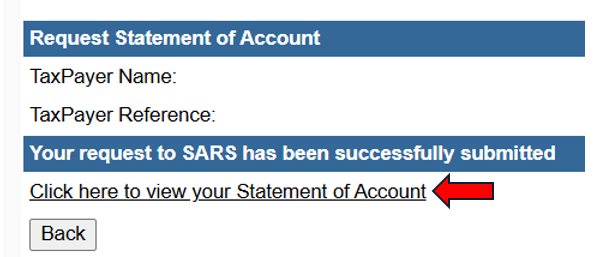
Step 6: Select: "Click here to View your Statement"
Your provisional tax statement of account should then open up.
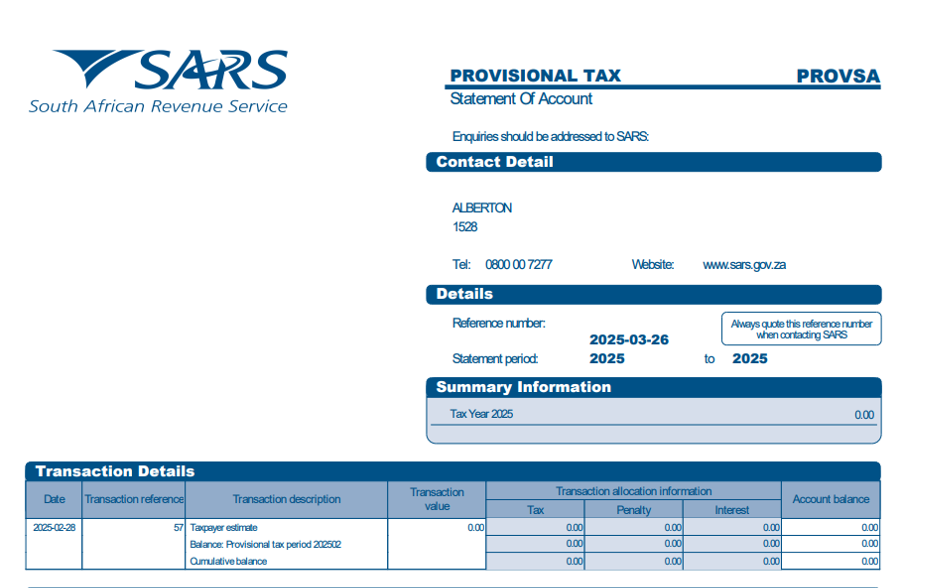
If you are unable to view the statement in your internet browser, please click on download and open it from your desktop/downloads instead.