Linking your SARS eFiling profile to TaxTim
By Alicia Human · Updated
To submit your tax return to SARS, TaxTim needs shared access to the relevant tax types on your SARS eFiling profile.
Shared access allows TaxTim’s registered tax practitioners to view the tax information needed to complete and submit your return. Your eFiling profile remains yours, and you can still log in to SARS eFiling directly whenever you want.
The normal linking process happens through TaxTim. You do not need to log in to the SARS website to connect your profile.
Before you start
Make sure you have access to the cellphone number or email address registered with SARS.
SARS will send a one-time PIN to one of these contact details to confirm that you authorised the connection.
If your contact details with SARS are outdated, you may not receive the PIN and the connection could be delayed. Please click Here to update your contact details with SARS.
How to link your eFiling profile to TaxTim
Step 1: Start the connection in TaxTim
1.1 Log in to your TaxTim account and follow the prompts to link your SARS eFiling profile.
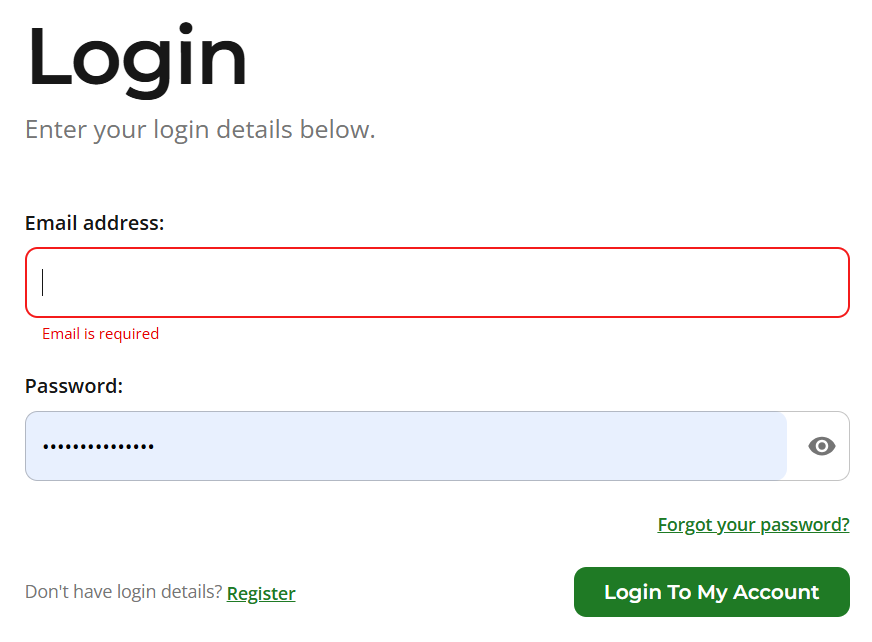
1.2 In the middle of your landing page you should see the below option, click on "Link Your eFiling Profile" to start the eFiling connection

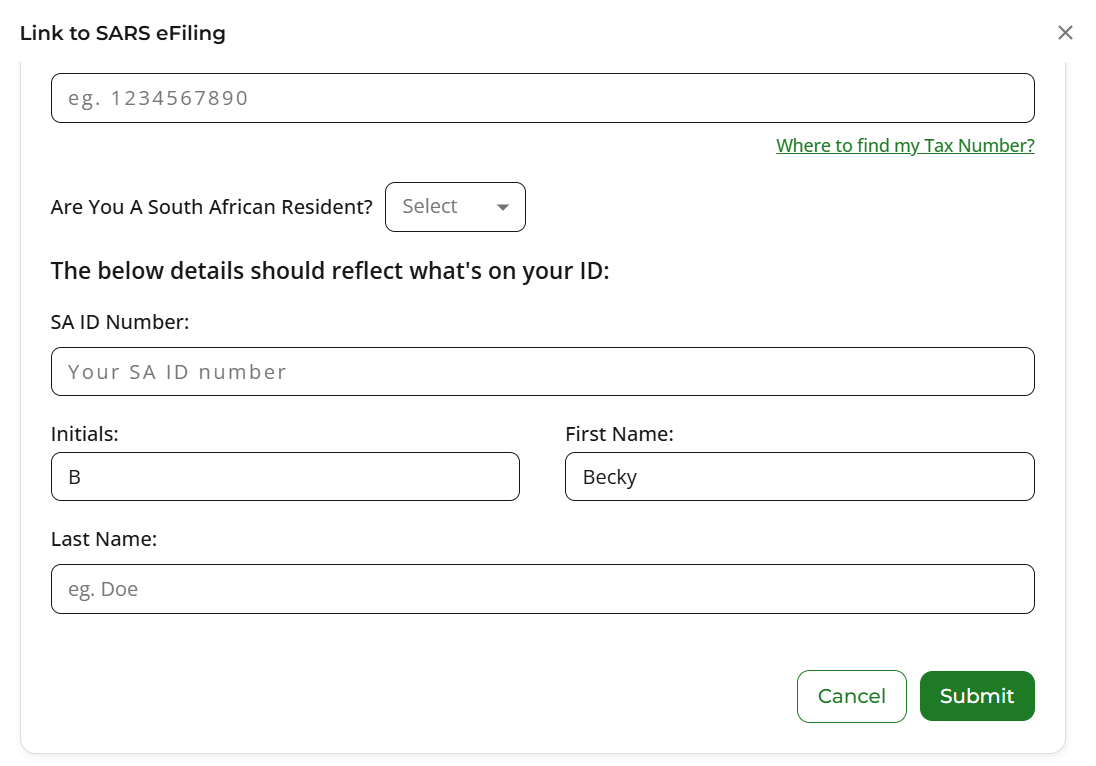
1.3 Select the tax type you want to link to TaxTim, enter your tax reference number, ID number and initials and surname and click on submit. 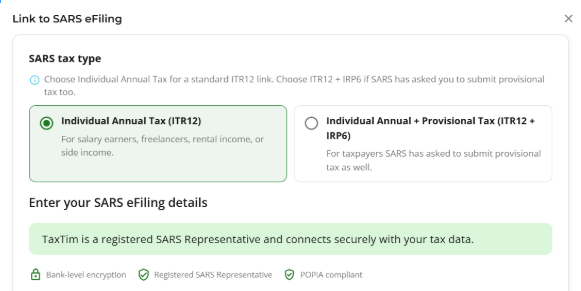
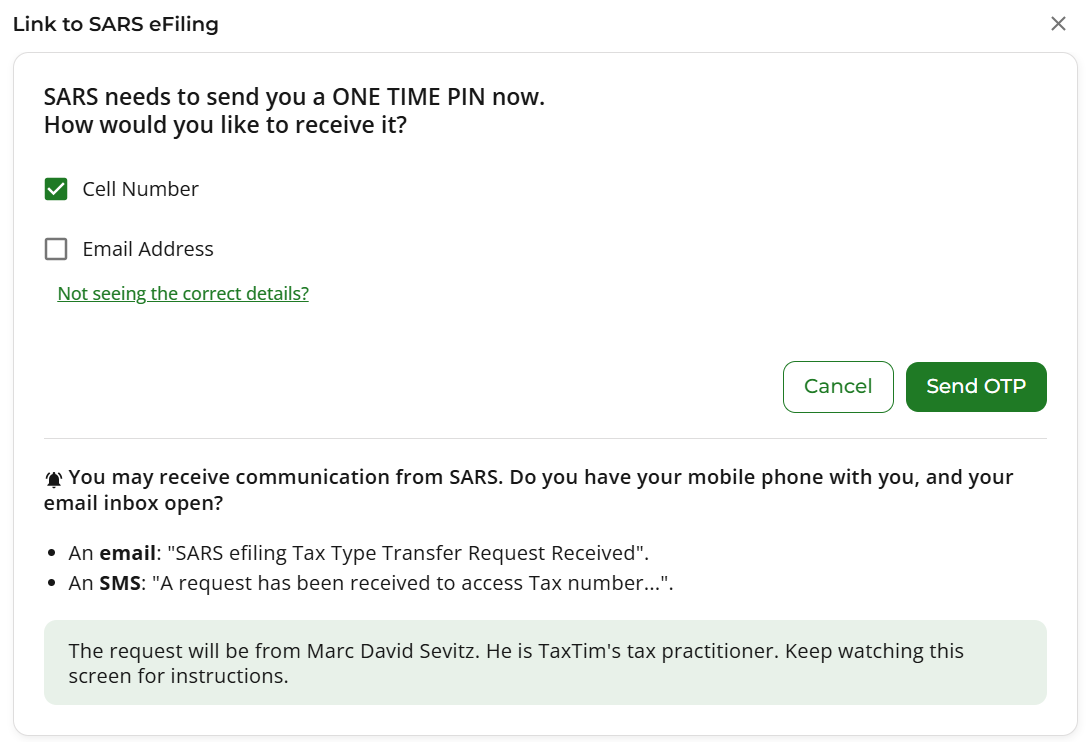
1.4 Select whether you want to receive the OTP via your cellphone in the form of an SMS or in your email box and click on send OTP
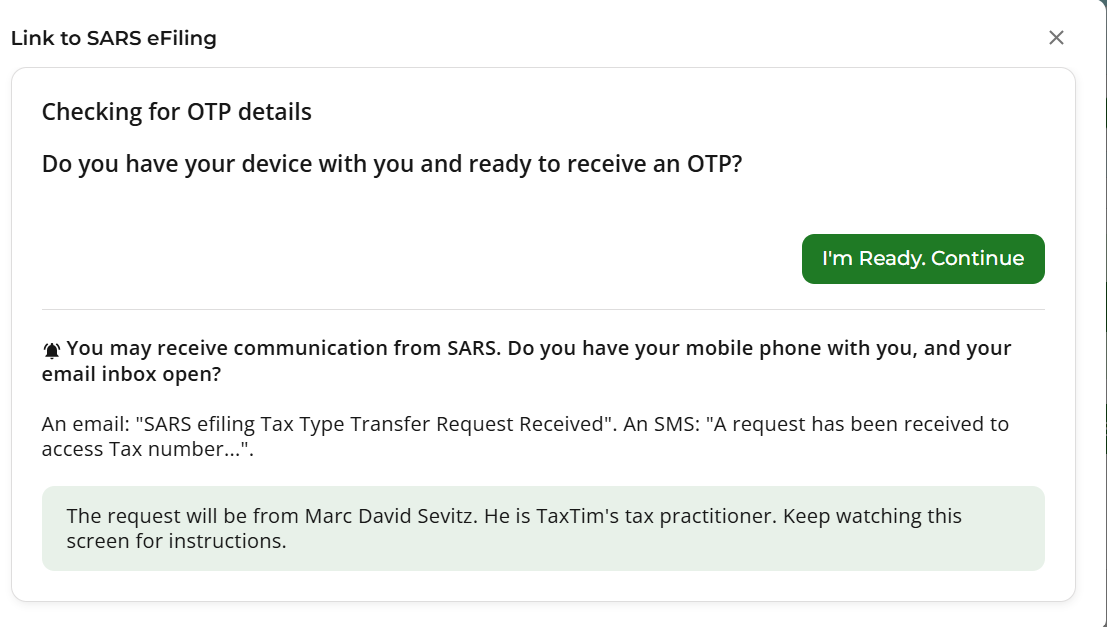
Step 2: Confirm the connection using the SARS OTP
SARS will send a one-time PIN to the cellphone number or email address registered on your SARS profile.
Enter the OTP in TaxTim when prompted.
The OTP confirms that you are the taxpayer and that you authorise TaxTim to connect to the relevant tax types on your eFiling profile.
You do not need to log in to the SARS website to complete this step.
2.1 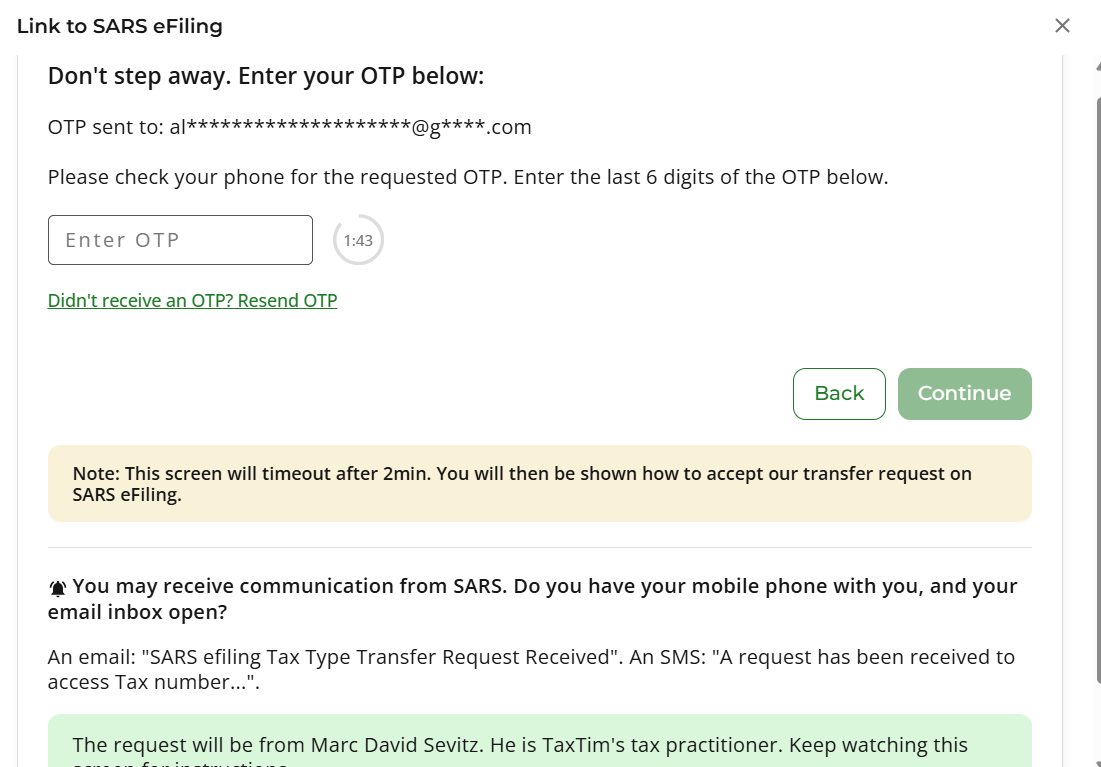
2.2 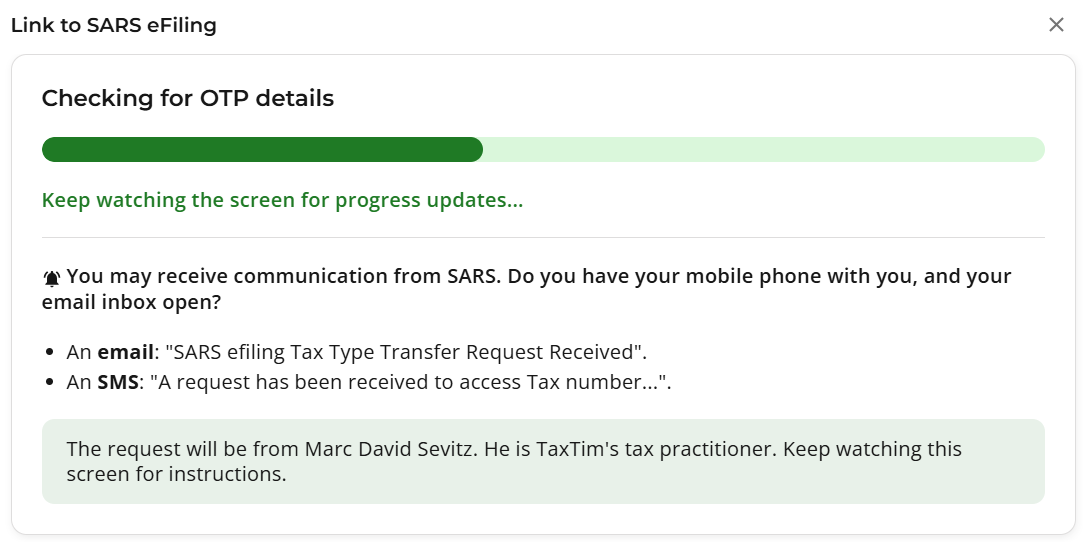
2.3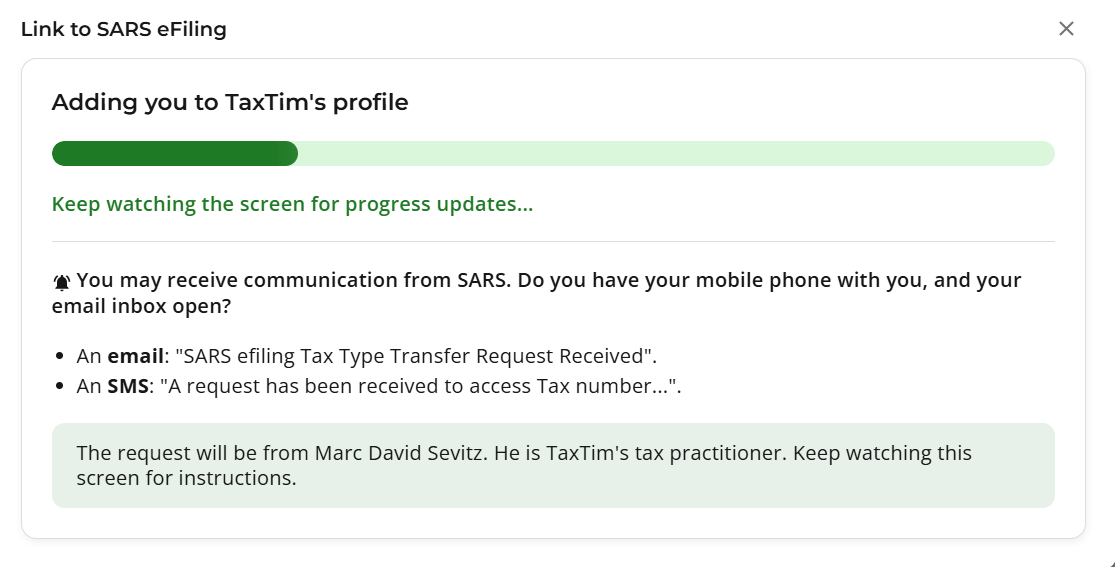
2.4 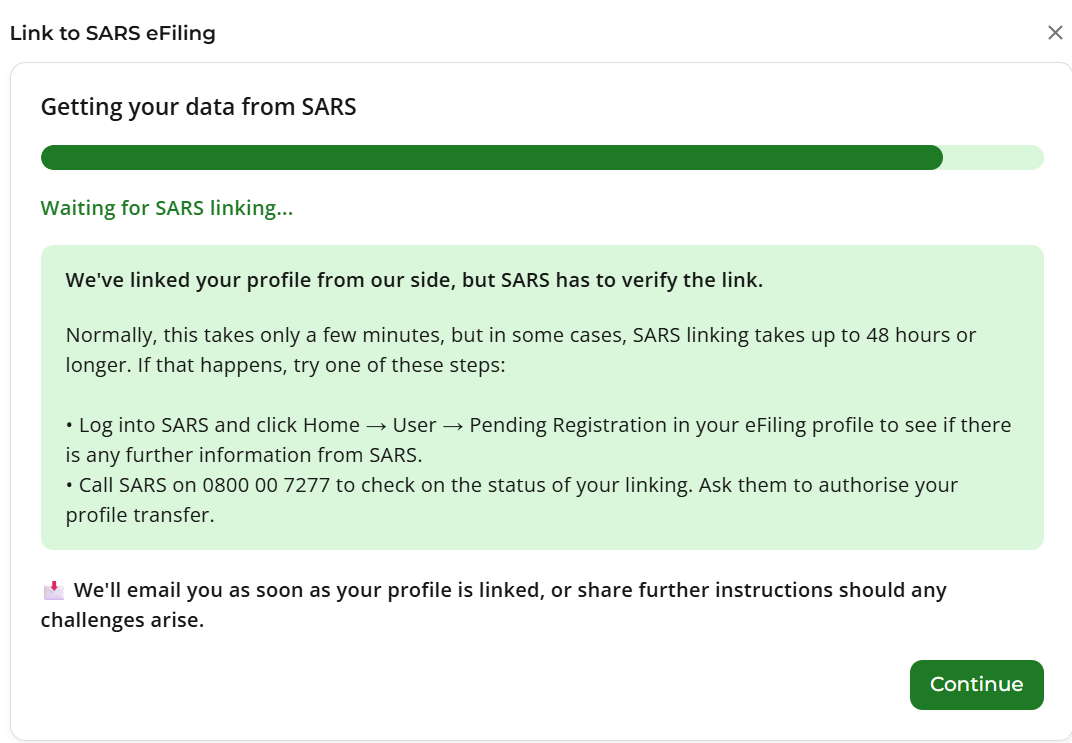
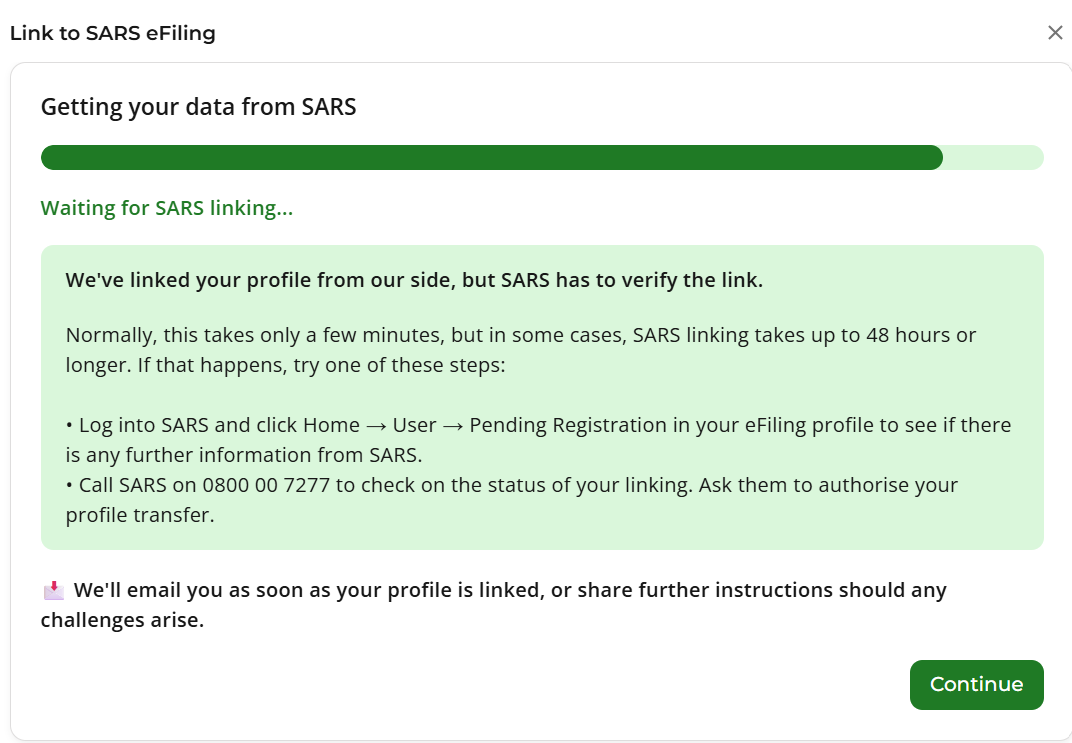
Step 3: Wait for SARS to complete the connection
Once the OTP has been confirmed, SARS will process the connection request.
The link is usually established within a few minutes to 24 hours. You can return to TaxTim after this period to check whether the connection has been completed and continue with your tax return.
The process may take longer if SARS needs to verify your information or if your registered contact details are outdated.
What access am I giving TaxTim?
You are giving TaxTim shared access to the tax types needed to assist with your return.
This allows TaxTim’s registered tax practitioners to view your tax information and submit your return on your behalf.
TaxTim cannot:
- change your eFiling password;
- prevent you from logging in;
- take ownership of your eFiling profile; or
- access tax types that you have not authorised.
Your eFiling profile remains yours.
Will I lose control of my eFiling profile?
No.
You can still log in to SARS eFiling directly and manage your own tax affairs. Connecting TaxTim does not replace your access. It allows TaxTim to work alongside you on the tax types you have authorised.
In some cases, a tax type may previously have been transferred fully to another practitioner. Where this has happened, you may need to regain shared or full access before TaxTim can connect, have a look at this blog to see how to do it: How to get shared access to my eFiling profile
Is TaxTim allowed to access my eFiling profile?
Yes.
TaxTim’s team includes SARS-registered tax practitioners. The connection takes place through SARS’s own shared-access system.
SARS sends the OTP directly to your registered contact details so that you can confirm the request yourself.
Can more than one tax practitioner access my profile?
Access works separately for each tax type.
Only one tax practitioner or practitioner organisation can hold access to a specific tax type at a time. However, different practitioners can have access to different tax types.
For example, one practitioner could have access to your Individual Income Tax while another has access to your Provisional Tax.
Connecting TaxTim to one tax type does not necessarily affect a practitioner who manages another tax type.
What if another tax practitioner currently has access?
If another practitioner currently has access to the tax type TaxTim needs, the TaxTim connection request may replace that practitioner’s access once the request is approved.
This applies only to the relevant tax type.
For example, changing the practitioner linked to your Individual Income Tax will not necessarily change the practitioner linked to your Provisional Tax.
If you still work with another practitioner, check which tax types they manage before changing the access.
Should be replaced with data on this blog: https://www.taxtim.com/za/tax-guides/how-to-get-back-control-of-your-sars-efiling-profile
What if I cannot access my own tax type?
In some cases, a previous tax practitioner may have full access to a tax type while your own access is restricted.
You may then need to log in to SARS eFiling and select the option to regain or obtain full shared access for that tax type.
Once your own access has been restored, you can return to TaxTim and start the connection process again.
If you cannot log in to eFiling, use the SARS username or password recovery process or contact the SARS Contact Centre on 0800 00 7277.
Why have I not received the OTP?
The OTP is sent to the cellphone number or email address registered with SARS.
You may not receive it if:
- your contact details with SARS are outdated;
- you no longer have access to the registered cellphone number or email address;
- the personal information entered does not match SARS’s records; or
- SARS is experiencing a processing delay.
You may need to update your registered contact details with SARS before trying again.
Why is the connection taking longer than 24 hours?
Most connections should be completed within a few minutes to 24 hours, but delays can happen.
Common reasons include:
- outdated contact or personal details;
- information that does not match SARS’s records;
- another practitioner currently holding access to the tax type;
- a previous full transfer of the tax type; or
- a delay in SARS processing the request.
If the connection is still pending after 24 hours, check the status in TaxTim and follow the instructions provided.
How do I remove TaxTim’s access?
You can remove or replace TaxTim’s access through your SARS eFiling profile.
Access is managed separately for each tax type. Removing TaxTim from one tax type will not necessarily remove access from every tax type.
Before removing TaxTim, make sure that any return being prepared or submitted through TaxTim has been completed.
Removing TaxTim’s access does not delete your eFiling profile or tax history. Your profile remains yours, please click on the link to see steps to remove our access.
Frequently asked questions
Am I giving TaxTim too much access?
No. You are giving TaxTim shared access to the relevant tax types so that our registered tax practitioners can view your tax information and submit your return.
TaxTim cannot change your password, lock you out or access anything outside the tax types you have authorised.
Will I lose control of my eFiling profile?
No. Your eFiling profile remains yours, and you can log in to SARS eFiling directly whenever you want.
TaxTim’s access sits alongside your own access.
Can TaxTim access my entire eFiling profile?
No. TaxTim can only access the tax types included in the shared-access request and approved by you.
Can I remove TaxTim later?
Yes. You can remove or replace TaxTim’s access through your SARS eFiling profile at any time.
Do I need to log in to SARS eFiling to connect TaxTim?
Normally, no.
The connection process takes place through TaxTim. You only need to enter the OTP that SARS sends to your registered cellphone number or email address.
You may need to log in to SARS eFiling if there is a problem with your access, another practitioner currently controls the tax type, or you want to remove TaxTim later.